Podcasting has become one of the most powerful ways to share ideas, build an audience, and grow a personal or business brand—but audio alone can limit how far your content travels. With platforms like YouTube driving massive daily traffic and prioritizing video content in search and recommendations, repurposing your podcast into video is no longer optional for creators who want to scale.
The good news is you don't need a full video production setup to get started. With AI tools like FlexClip AI Avatar Generator, you can easily transform your audio episodes into engaging podcast videos featuring an AI talking avatar, helping your content reach new audiences and extend its shelf life significantly.
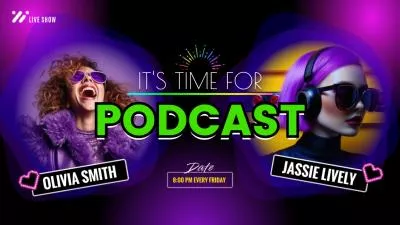


How to Turn Audio Podcast into a YouTube Video
Turning an audio podcast into a video used to require editing skills, recording equipment, and hours of manual work. But here we have FlexClip AI Avatar Generator, which can make the process much faster by automatically transforming your podcast audio into a professional-looking talking avatar video that's ready for YouTube, TikTok, or social media.
FlexClip AI Avatar Generator offers a quick and beginner-friendly way to turn your podcast into a video. Instead of manually editing visuals or recording yourself on camera, it uses AI to transform your audio into a talking avatar video that automatically syncs lip movements with your podcast. This makes it possible to convert a purely audio episode into a polished, video-ready format in just a few steps—perfect for YouTube and other video platforms.
Now, follow the simple steps below to see how you can easily turn your audio podcast into a video with FlexClip AI Avatar Generator and upload to YouTube.

Step 1 Choose an AI Avatar for Your Video Podcast
Click the button above to access the FlexClip AI Avatar Generator. Here are a wide range of AI avatars that can speak your audio, helping you turn your audio podcast into a professional-looking video in minutes. You can also upload your own image or video to create a custom avatar for a more personalized result.
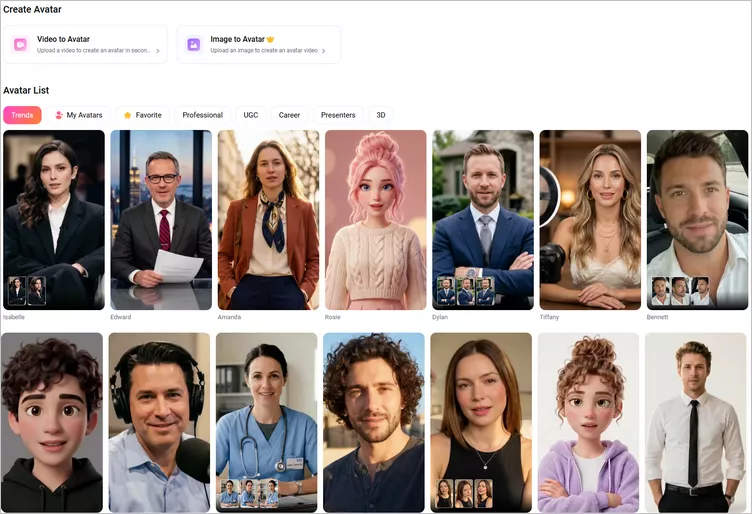
Choose an AI Avatar for Your Video Podcast
Step 2 Upload Your Podcast Audio
Once select the speaking avatar, you can upload your podcast audio file to FlexClip. You can upload audio files in virtually any format you prefer. Our audio-to-video converter supports popular formats like MP3, WAV, and AAC, allowing you to easily transform your audio podcast into engaging AI-powered videos without limitations.
By the way, if you haven't recorded your podcast yet, you can simply start with a script. Just paste your text and instantly turn it into a video podcast using a talking avatar with different voice options. What's more, you can even clone your own voice or choose a desired voice to have your content narrated in a specific tone and style.
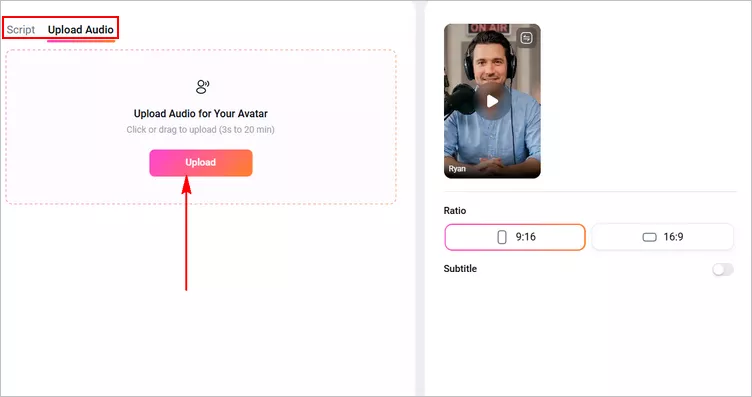
Upload Your Podcast Audio
Step 3 Generate Video Podcast with Talking Avatar
You can now adjust the video settings and select a 16:9 aspect ratio to create a YouTube podcast video. You can also add subtitles to improve accessibility and choose a subtitle style that fits your preference. Once everything is ready, click Generate to convert your audio podcast into a video with a lip-synced talking avatar.
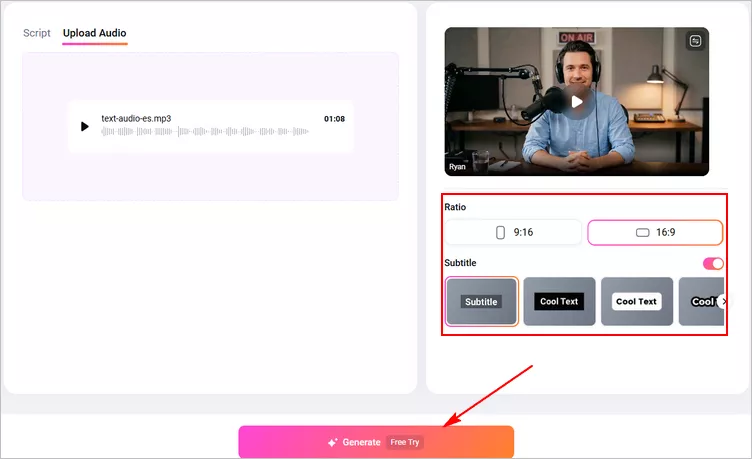
Generate Video Podcast with Talking Avatar
Step 4 Preview and Edit Your AI-generated Podcast Video
Once the video is generated, you can preview it to make sure everything looks good, then download your podcast video directly. However, we recommend using FlexClip’s built-in editor to further enhance your video and take it to the next level.
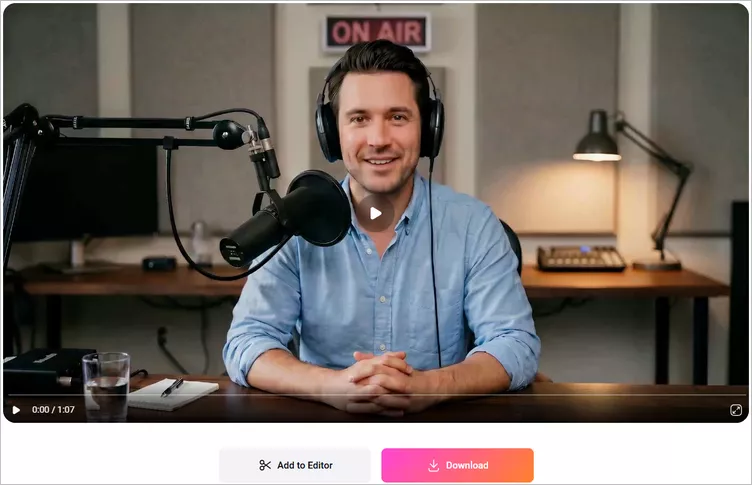
Preview Your AI-generated Podcast Video
Click the Add to Editor button to import your AI podcast video into the FlexClip editor. The video will automatically be placed on the blank canvas. Select it, right-click, and choose Set as Background to begin editing.
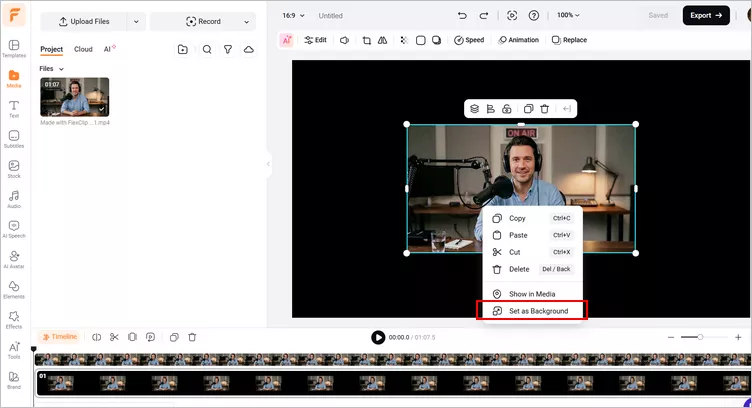
Add the AI-generated Podcast Video to Editor
From there, you can enhance your video using powerful tools and effects—add text animations, background music, your logo, or even a custom intro and outro—to make your podcast video look more professional.
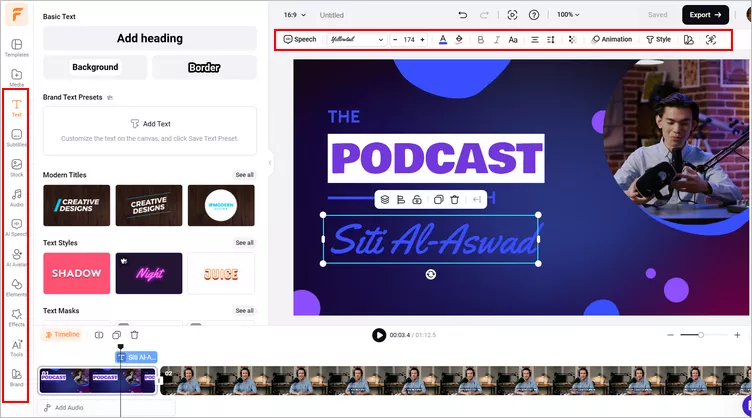
Edit the AI Podcast Video
Step 5 Upload Your Podcast Video to YouTube
Once you done the edits, you can preview the whole video to check the final effects, If satisfied, you can export the podcast video that is ready for posting on YouTube. You can try FlexClip's quick share feature to share it as a normal video to YouTube in one click.
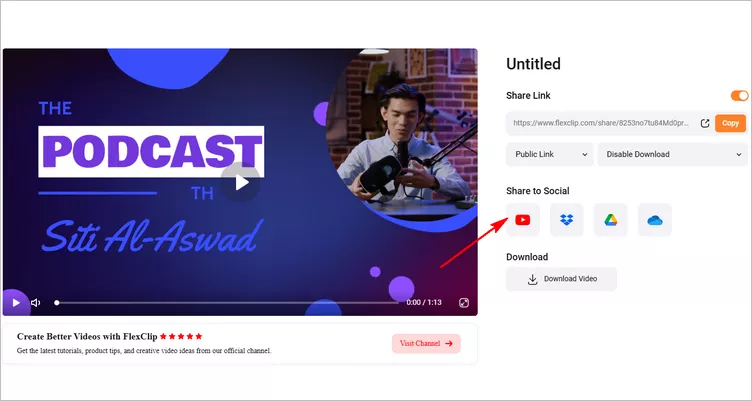
Upload the Podcast to YouTube
Final Words
Starting a video podcast on YouTube is a new and great way for creators to grow audiences. Are you ready to post your first podcast video on YouTube? With the method we shared in this article, we hope you can successfully start your video podcast journey on YouTube!




FlexClip AI Video Maker
Reach professional-quality videos faster with easy editing tools, templates, and smart AI.
Start Now for Free
Hot & Trending
-

Best Ways to Find Music in YouTube Videos
-

Instagram Story Video Quality Bad After Upload? Fix It!
-

How to Repost Video on TikTok & How to Remove TikTok Repost
-

Improve Video Quality Online: 3 AI Video Quality Enhancers You Can't Miss
-

4K Convert to HD 1080p without Watermark: Best 4k Video Converters
-

Best 8 Free Video Editors - No Download Required
-

Top 13 Birthday Video Makers with Music and Effects Free
-

How to Search Filters on TikTok & Use a Filter You See - TikTok Filter Guide